
Phone control for compatible split and inverter units
This control upgrade adds remote access to compatible airconditioners through a phone app, so you can change temperature, mode, fan speed and timers without standing under the indoor unit. It is a practical option for homes in Sandton, Randburg and Johannesburg North, and for offices that want staff to avoid leaving units running all day by mistake.
The kit works as a control interface between the aircon and your phone connection. Once fitted correctly, it gives you day to day control over heating and cooling, plus scheduling for early starts, school runs and after hours use. It is useful in Gauteng because summer afternoons can climb fast, and winter mornings can be chilly in rooms that are closed up overnight.
- Remote on and off control
- Temperature and mode adjustment
- Timer and weekly schedule settings
- Compatible with selected split, inverter and some solar aircons
Where the kit suits best in local homes and offices
This type of controller suits rooms where the aircon is used regularly and where people want to avoid wasted running time. Typical applications include bedrooms, home offices, boardrooms, reception areas and manager offices. It also helps in properties where tenants or staff need a simple way to manage the unit without a wall mounted controller being left in the wrong setting.
In Johannesburg and the wider Gauteng area, it is often fitted where load-shedding backup, solar support or timed use is important. If you are running a heat pump room, a small consulting office or a family home with a split unit in a main living space, the kit can make day to day use easier and more controlled.
- Homes with one or more wall mounted aircons
- Offices with regular occupied and unoccupied hours
- Properties where energy use needs tighter control
- Installations where the unit is mounted out of easy reach
Compatibility, sizes and what you must check first
The kit is not a one size fits all product. Before ordering, check the aircon model, the control type and whether the indoor unit supports an external communication module. Some units need a specific adapter or port layout, so the exact model number matters. If the aircon was installed years ago, or has been relocated, the wiring should be checked as well.
In practical terms, the main decision is not room size but unit compatibility. A 9 000 BTU bedroom unit, a 12 000 BTU lounge unit or a 24 000 BTU office unit may all be suitable if the control board supports the kit. If the aircon is not compatible, the kit will not communicate correctly and you can end up with fault codes or no response at all.
- Confirm the aircon make and model number
- Check whether the indoor board supports WiFi control
- Ask if a cabled adapter or wireless module is required
- Confirm app setup requirements and network range
Installation, power supply and signal requirements
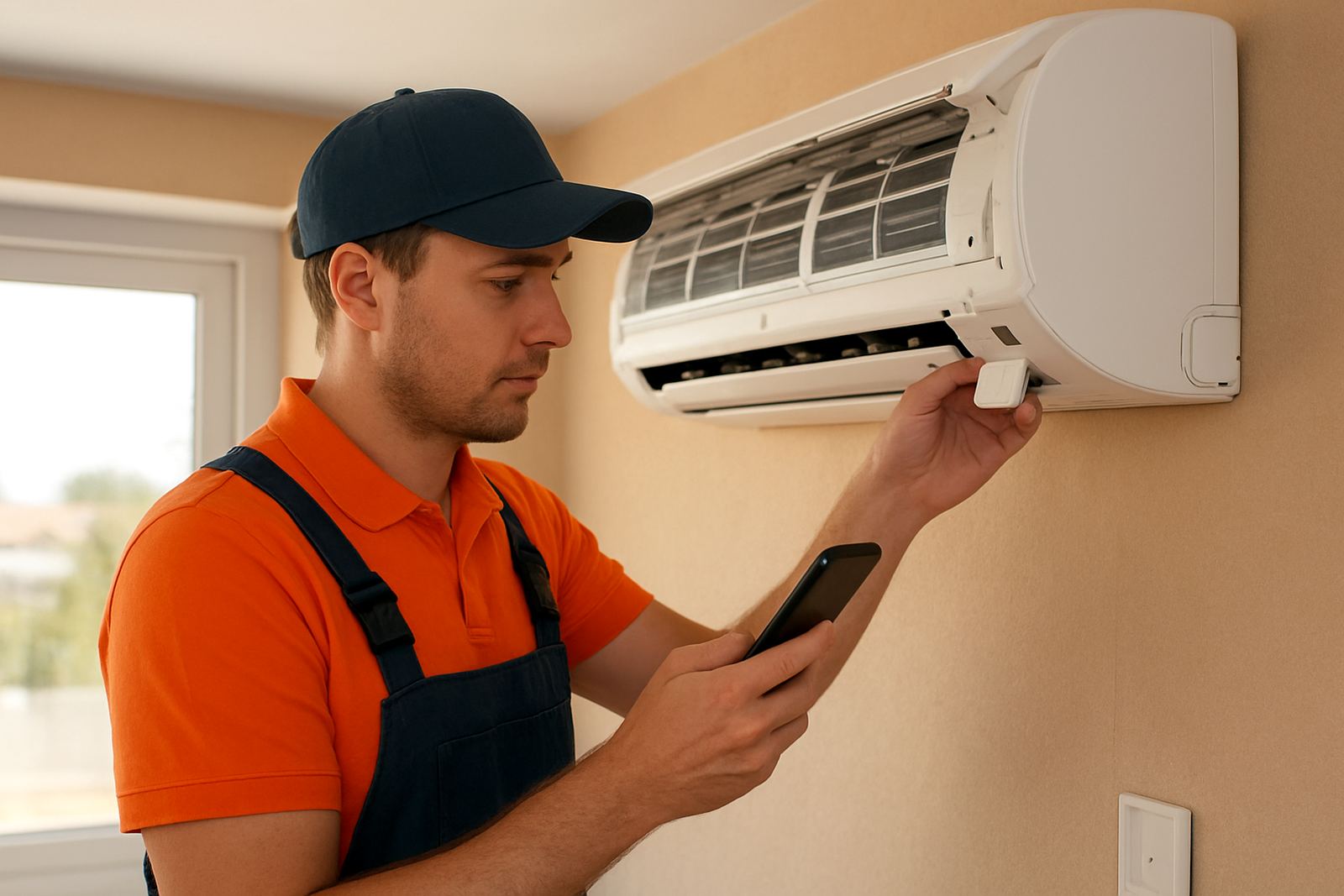
Installation is normally done at the indoor unit by a qualified technician who can access the control board safely and test communication after fitting. The kit needs a stable electrical supply from the aircon system and a reliable home or office WiFi connection. If the router signal is weak in the room, the app connection may drop out or become slow to respond.
For best results, the router or access point should have decent coverage in the room where the aircon is installed. In larger homes, double storey properties or office suites with brick walls, a signal booster may be needed. During installation, the unit should also be checked for any existing faults, loose terminals or moisture around the electrical cover. A clean install now saves a lot of trouble later.
- Indoor unit access is required for fitting
- Stable WiFi signal is needed near the unit
- Electrical supply must be safe and properly terminated
- Testing after installation should confirm app pairing and control response
Using the controller through load-shedding and daily schedules
Many clients in Gauteng want better control during load-shedding windows and peak tariff periods. The WiFi Control Kit helps with scheduled start times, cooler pre-setting before power interruptions and planned shutdown after office hours. It is not a power backup on its own, but it does make the aircon easier to manage when electricity is tight or when the building is occupied only part of the day.
For homes, it can be set to start before the family returns from school or work, then reduce run time once the room is comfortable. For offices, it can be used to avoid the common problem of aircons left on over a weekend. That saves electricity and reduces wear on the compressor and fan motor. In our climate, small time savings add up quickly.
Care, servicing and what to do if the connection drops
The kit itself needs very little daily care, but the aircon around it still needs normal servicing. Filters should be cleaned, indoor coils kept free of dust, and the electrical cover checked during a service visit. If the app stops responding, the first checks are usually WiFi signal, router status, power to the unit and whether the indoor board has tripped. Sometimes a simple network reset sorts it out, sometimes there is a board issue that needs a technician.
If the system is exposed to coastal moisture after a relocation or if the room gets a lot of dust, the controller area should be inspected during routine servicing. Moisture and loose wiring can affect communication. Keep the aircon serviced at least once a year, more often in commercial use or where the unit runs most days. A bit of preventive care prevents bigger faults later on.
- Clean filters regularly
- Book annual servicing, or more often in heavy use areas
- Check WiFi signal and router health if the app disconnects
- Have wiring and control board inspected if faults appear
Ordering advice for Johannesburg and surrounding areas
When ordering, send the exact aircon model number, a photo of the indoor unit label and details of how the unit is currently controlled. If the aircon has been moved, repaired or replaced in the past, mention that too. This helps avoid the wrong module being supplied and keeps the installation straight forward.
For Johannesburg North, Sandton, Randburg, Midrand, the East Rand and the West Rand, supply and fit can be arranged with proper site checks where needed. If you are not sure whether the unit is compatible, ask before buying. It is better to confirm the details now than to find out after unpacking a part that does not suit the board. We see this often enough, especially with older units and mixed office installs.
Key facts
| Product type | WiFi control kit for compatible aircons |
|---|---|
| Control method | Phone app remote control |
| Use | Cooling, heating, timers and schedules |
| Compatibility | Selected split, inverter and some solar aircons |
| Installation | Indoor unit fitment by qualified technician |
| Power and network | Aircon supply plus stable WiFi signal required |